
SQL Server Integration Services
MS-767(4 days)
SQL Server Integration Services
21.000 DKK
(excl. VAT)
Course calendar
Description
In this course, you gain knowledge of and hands-on experience with using SSIS (SQL Server Integration Services) to build, deploy, maintain and secure Integration Services projects and packages. You also learn how to use SSIS to extract, transform and load data to and from SQL Server.
The course focuses mainly on building SSIS packages rather than on data warehouse design and implementation. It is aimed especially at people who will work in the role of Business Intelligence Developer.
After completing the course, you will be able to:
- Build advanced SSIS packages that extract, transform and load data
- Use containers to efficiently control repetitive tasks and transactions
- Configure packages to adapt dynamically to changes
- Use Data Quality Services to cleanse data
- Troubleshoot packages
- Create and manage the SSIS Catalog
- Deploy and configure packages
- Manage security in the SSIS Catalog
Prerequisites
To get the most out of the course, we recommend experience or knowledge equivalent to:
Module overview
This module explains the purpose of SSIS and teaches how to use the Import/Export Wizard to exchange data between data structures.
Lessons
Import/Export Wizard
Exporting Data with the Wizard
Common Import Concerns
Quality Checking Imported/Exported Data
Lab 1: SSIS Overview
Use the Import/Export Wizard from SSMS
In this module, students learn to work with SQL Server Data Tools (SSDT) to design and deploy reports.
Lessons
Working with SQL Server Data Tools
Understanding Solutions and Projects
Working with the Visual Studio Interface
Lab 1: Working with Solutions and Projects
Import and run a package in SSDT-BI
The Control Flow tab of the SSIS Designer is used to organize the general flow of your package execution. The control flow of a package includes different element types, such as tasks, containers, and precedence constraints. Each of these element types has a set of properties that you will use to define and manage individual instances of these elements. In this module, students learn to add containers or tasks from the SSIS Toolbox to the Control Flow Designer.
Lessons
Working with Tasks
Understanding Precedence Constraints
Annotating Packages
Grouping Tasks
Package and Task Properties
Connection Managers
Favorite Tasks
Lab 1: Basic Control Flow
Precedence Constraints and Execute SQL Task
Microsoft has organized the tasks in the Common section of the SSIS Toolbox alphabetically. This module will touch on the functionality of each of these tasks, and provide Try It exercises for the tasks that are most commonly seen in classes and companies.
Lessons
Analysis Services Processing
Data Profiling Task
Execute Package Task
Execute Process Task
Expression Task
File System Task
FTP Task
Hadoop Task
Script Task Introduction
Send Mail Task
Web Service Task
XML Task
Lab 1: Common Tasks
Create a package to copy a file and send an email message on completion
Create a package to perform data profiling and then review the results
Create a master package and test the execution flow of the child packages
In this module, students will learn to work with data flow sources and destinations.
Lessons
The Data Flow Task
The Data Flow SSIS Toolbox
Working with Data Sources
SSIS Data Sources
Working with Data Destinations
SSIS Data Destinations
Lab 1: Data Flow Sources and Destinations
Working with Data Sources and Destinations
In this module, students learn about transformations, which allow you to modify data in the data flow pipeline.
Lessons
Transformations
Configuring Transformations
Lab 1: Data Flow Transformations
Working with Derived Column Transformations
Working with Lookup Transformations
In this module, students will learn to make SSIS packages dynamic.
Lessons
Features for Making Packages Dynamic
Package Parameters
Project Parameters
Variables
SQL Parameters
Expressions in Tasks
Expressions in Connection Managers
After Deployment
How It All Fits Together
Lab 1: Making Packages Dynamic
Making a Package Dynamic
In this module, students learn to use containers, which provide a way to organize tasks that need to be managed together as a group.
Lessons
Sequence Containers
For Loop Containers
Foreach Loop Containers
Lab 1: Containers
Use a Foreach Loop container to send a custom email to the names found in a database view
This module puts together common troubleshooting methods along with some of the reliability features for SSIS all in one place.
Lessons
Understanding MaximumErrorCount
Breakpoints
Redirecting Error Rows
Logging
Event Handlers
Using Checkpoints
Transactions
Lab 1: Troubleshooting and Package Reliability
Creating a Script Task to Merge Error Messages
Configure a package to use transactions
The project deployment model provides the framework for new functionality such as the SSIS catalog, environments, project level parameters and project level connection managers. This module explains how to deploy projects to the SSIS catalog.
Lessons
The SSIS Catalog
Deploying Projects
Working with Environments
Executing Packages in SSMS
Executing Packages from the Command Line
Deployment Model Differences
Lab 1: Deploying to the SSIS Catalog
Deploying a Project to the SSIS Catalog
Manually executing a Package
In this module, students will learn to install, upgrade, and administer SSIS.
Lessons
Installing SSIS
Upgrading SSIS
Managing the SSIS Catalog
Viewing Built-in SSIS Reports
Managing SSIS Logging and Operation Histories
Automating Package Execution
Lab 1: Installing and Administering SSIS
Automating Package Execution
In addition to the standard SQL Server database and instance permissions that can be configured like any other database, the SSIS catalog has special pre-defined database roles and additional permissions that can be assigned for the management and execution of SSIS packages. In this module, students learn to work with roles and permissions to secure the SSIS catalog.
Lessons
Principals
Securables
Grantable Permissions
Granting Permissions
Configuring Proxy Accounts
Lab 1: Securing the SSIS Catalog
Securing the SSIS Catalog
Free course advice
We care a lot about helping you find the course path that creates the most value for you and your workplace. Get in touch with our course advisors — they're ready to help you, free of charge and with no obligation.
I can't give anything less than 5 stars across the board. Either you're truly in a class of your own, or I've just been to the wrong course venues before. Fantastic place and atmosphere.... once you've learned to find your way around :-)
Your instructors are exceptional; skilled, competent and good at teaching - so you have everything you need to get off to a good start.
You have fantastic facilities, good food and lovely people throughout the building.
A really good, in-depth course. Your course facilities at Karlebogaard are nothing short of fantastic. A beautiful historic house with lots of fun stories and great course rooms. The course itself was very useful. I learned everything I had hoped to and then some. My instructor was damn good and really funny. He made it a pleasure, and the hours flew by.
Probably the best course I've ever taken and the best instructor I've ever had!! Really good depth and thorough explanations, and on top of that, fantastic food!!!
Delicious food, cozy facilities, good structure and atmosphere. I'll be back when I can.
Absolutely the best course I've ever taken!
The course venue is so inviting and welcoming that it has been a pleasure to be here. Clean, tidy and full of charm. I attended a course where all the individual parts came together into a greater whole that can hardly be described.
I got a lot out of the course. It opened my eyes to possibilities I didn't know existed. I'm sure this won't be the last time we're in touch with SuperUsers.
I never in my wildest dreams imagined that a course venue could be so beautiful. I don't know if it's true, but I have a feeling that the surroundings rub off on the people who work here, so everyone seems incredibly happy.
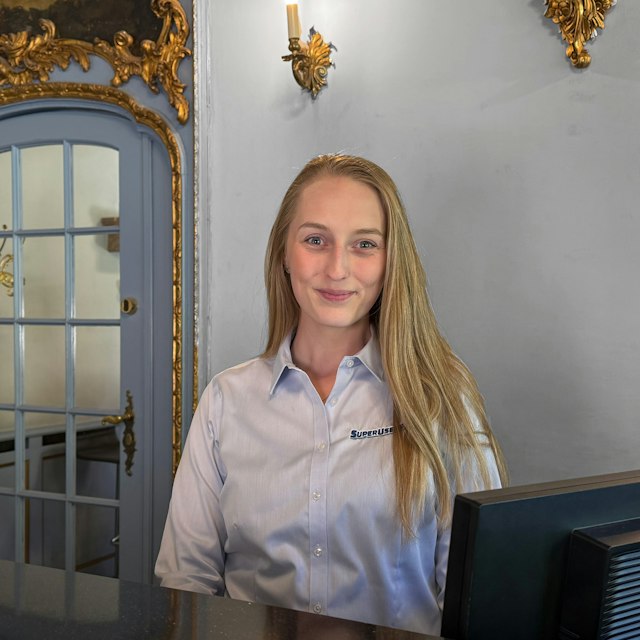
There's a really great atmosphere. All the way from the woman at the reception desk to the people who work in the kitchen.
The instructor tailored the course to my level to a very large extent and was flexible. I had very high expectations, and they were exceeded.
Great precision, good exercises, good pace, a great atmosphere and maximum learning.
The instructor was very pleasant and the exercises were extremely good. I really learned a lot about the topics the course covered.
On top of that, really nice, calm and green surroundings with good catering - especially good food. I would like to take my courses here again next time.
It was a real pleasure to take a course at SuperUsers. The week we spent on the course was worth the money and means that we can now save many consultant hours. It's always nice to have the knowledge in-house.
There is a relaxed atmosphere in the classroom, lovely surroundings in the building itself, and skilled instructors who do a really good job.
I started using all the knowledge I soaked up on the course almost right away, and now we are well underway with developing our future cloud solution.
There is no doubt about who we will turn to if we need other courses.
This is my first time at SuperUsers. It has been a really good experience. The instructor seems very experienced and competent.
The instructor's strong technical background made the course and the in-depth answers to questions a good experience.
A really nice course venue in pleasant surroundings that make for a good setting for focused learning. The instructor came across as well prepared, with extensive knowledge of the relevant topics.
The instructor also showed a strong ability to answer any questions that came up during the course.
I'll be back the next time I need to take a course. It's a lovely place, the food is fantastic, and the instructor is very knowledgeable and happy to share that knowledge!
The technical depth of the course was really good. The instructor's knowledge went much deeper than the curriculum necessarily requires.
You could throw all kinds of curveballs at the instructor, and he had it all under control - he also made the content exciting.
We have now completed Microsoft 365 courses for a total of 5 people here in our department. Everyone agrees that it was an excellent course with a skilled instructor and communicator who could discuss and explain things at the right level, while also being efficient and bringing humor.
It has been a really good experience.
It's calm and quiet at SuperUsers' country venue. Good atmosphere and catering. Some thought has gone into healthy eating when it comes to food and cake, so it doesn't get completely out of hand.
The instructor is knowledgeable about the topics and readily puts them in a broader perspective by relating them to other relevant areas. It's rewarding that this is possible too, and it gives you ideas for further study.
In addition, the instructor was engaged and entertaining to have presenting the content.
As always, it was a great experience, and you learn a lot in a short time from some very skilled instructors.
I work in Azure almost every day, and both courses have been really good at helping me understand Azure better.
The instructor is very presentation-oriented and gets you involved in the teaching and the material. He is good at varying the teaching so it never gets monotonous.
It is clear that the instructor has hands-on experience and not just the theory, with many good examples that related to real-world challenges we might encounter.
Good facilities and good food, without drowning in unhealthy habits.
Very good course, the instructor was the best. I've been here at SuperUsers before, now I'm here again, and hopefully coming back another time.
The instructor seemed very competent and has extensive knowledge of his field. He was good at explaining things in a clear and humorous way. There were also simple exercises that gave a good understanding.
The instructor was really good at going in depth while still making sure everyone was keeping up. A really nice venue and room, and great food.
There was no doubt that the instructor knew exactly what he was talking about, and even the simplest questions were answered gladly, without anyone being made to feel stupid.
A lovely, cozy place where the receptionist, the kitchen and the instructors make you feel at home. A good setting makes for good learning. Really good food that helps round out the whole experience of taking a course at SuperUsers.
Really happy with the venue and the stay over in the horse stable. I'll see if I can come back here for the next course I take. A really beautiful building, and great to experience a place like this. A fantastic place to hold a course.


