
Automate Administration with PowerShell
AZ-040(5 days)
Automate Administration with PowerShell
22.000 DKK
(excl. VAT)
Course calendar
Description
Maybe you've dabbled in PowerShell and run a few scripts you found online, but now you want to go further with the language and learn to stand on your own two feet.
- What is PowerShell, what can I use it for, and how do I get properly started?
- What is the difference between Windows PowerShell and PowerShell 7?
- Which cmdlets and modules should I use, and how?
- How do I use PowerShell with Azure, Microsoft Entra ID, and Microsoft 365?
- What is the best way to use remoting?
You'll get answers to these questions and much more in this PowerShell course.
The course is concept-focused, with an emphasis on PowerShell syntax and the PowerShell way of thinking, and we demonstrate the theory through concrete code examples. Each module has accompanying exercises, so you get hands-on experience and try out what you've learned.
We use the console for ad hoc scripting and ISE/Visual Studio Code as the editor for longer scripts. We also work with variables and functions, and we look at how to create your own module.
In short, all Microsoft platforms can be controlled and managed in Windows PowerShell. That's why the scripting language is widely used both in Azure and on-premises.
In the course, we go in depth with PSDrives, which are used in many places to expose objects that you can easily navigate. On-premises, for example, they give you access to the Windows Registry and IIS – in the cloud, all Azure resources are available in a PSDrive.
You'll also be introduced to PowerShell's CIM cmdlets, which replace the old WMI queries and are useful for retrieving system information and configuring settings that aren't available directly through PowerShell.
We also spend a lot of time on remoting, a core part of PowerShell for remote administration of servers and desktop machines. Windows PowerShell uses WinRM, while PowerShell 7 also offers SSH. Long-running scripts can be run ad hoc as a job, or they can be attached to a background job and executed on a fixed schedule, for example every night.
We practice creating and managing resources, such as a virtual machine in Azure, which can be created elegantly with the Az module for PowerShell in Cloud Shell. Microsoft Entra ID users and groups are central to all Microsoft 365 services, such as Teams, SharePoint, and Exchange. The Microsoft Graph module offers a number of cmdlets, but you may still need functionality from the old modules.
Related exam
Next steps
If you want to build on your skills, these may be relevant:
Certification bundles


Module overview
This learning path introduces you to Windows PowerShell and provides an overview of the product’s functionality. It explains how to open and configure Windows PowerShell, run commands, and use its built-in Help system.
Lessons:
- Review Windows PowerShell
- Understand the command syntax in Windows PowerShell
- Find commands and Get-Help in Windows PowerShell
This learning path covers cmdlets that are commonly used for system administration tasks related to Active Directory, network configuration, server administration, and Windows 10 device administration.
Lessons:
- Manage Active Directory Domain Services using PowerShell cmdlets
- Manage network service settings for Windows devices using PowerShell cmdlets
- Manage Windows Server settings using PowerShell cmdlets
- Manage settings for a local Windows machine using PowerShell cmdlets
This learning path explains the purpose and use of the PowerShell pipeline and use the pipeline to sort, filter, enumerate and display output data for PowerShell cmdlets. It also explains how to pass pipeline objects.
Lessons:
- Understand the Windows PowerShell pipeline
- Select, sort, and measure objects using the pipeline
- Filter objects out of the pipeline
- Enumerate objects in the pipeline
- Send and pass data as output from the pipeline
- Pass pipeline objects
This learning path explains two technologies: PowerShell providers and PowerShell drives, which let you work with many forms of storage by using the commands and techniques that you use to manage the file system.
Lessons:
- Connect with data stores using PowerShell providers
- Use PowerShell drives in PowerShell
This learning path covers Windows Management Instrumentation (WMI) and Common Information Model (CIM). These technologies help to access information about a computer. Additionally, both technologies provide local and remote access to management information from the operating system, computer hardware, and installed software.
Lessons:
- Review CIM and WMI
- Query configuration information by using CIM and WMI
- Query and manipulate repository objects by using CIM and WMI methods
This learning path explains how to work with variables, arrays, and hash tables in Windows PowerShell scripts.
Lessons:
- Manage variables in Windows PowerShell scripts
- Work with arrays and hash tables in Windows PowerShell scripts
This learning path explains how to create and modify scripts. It covers useful scripting techniques that include importing data from a file, accepting user input, and error handling.
Lessons:
- Create and run scripts by using Windows PowerShell
- Work with scripting constructs in Windows PowerShell
- Import data in different formats for use in scripts by using Windows PowerShell cmdlets
- Use methods to accept user inputs in Windows PowerShell scripts
- Troubleshoot scripts and handle errors in Windows PowerShell
- Use functions and modules in Windows PowerShell scripts
This learning path covers remoting mainly in its default configuration, using HTTP on port 5985. It describes how to configure remoting to allow for—or require—encryption based on Secure Sockets Layer (SSL).
Lessons:
- Manage single and multiple computers by using Windows PowerShell remoting
- Use advanced Windows PowerShell remoting techniques
- Manage persistent connections to remote computers by using Windows PowerShell sessions
This learning path explains how to install the necessary modules for cloud services management and use PowerShell commands to perform simple administrative tasks on cloud resources such as Azure virtual machines, Azure storage accounts, and Azure subscriptions. The learning path also covers how to use the Azure Cloud Shell environment to perform PowerShell-based or Bash-based administration directly from the Azure portal.
Lessons:
- Review Azure PowerShell module
- Review the features and tools for Azure Cloud Shell
- Manage Azure resources with Windows PowerShell
This learning path explains how to efficiently manage the most commonly used services in Microsoft 365, such as Microsoft Entra ID, Microsoft Exchange Online, Microsoft SharePoint Online, and Microsoft Teams.
Lessons:
- Manage users, groups, and licenses in Microsoft Entra ID by using Windows PowerShell
- Manage Exchange Online by using Windows PowerShell
- Manage SharePoint Online by using Windows PowerShell
- Manage Microsoft Teams by using Windows PowerShell
This learning path explains the jobs feature of Windows PowerShell. Jobs are an extension point in Windows PowerShell, and there are several types of jobs. Each type works slightly differently and has distinct capabilities.
Lessons:
- Create and manage background jobs using Windows PowerShell
- Create and manage scheduled jobs using Windows PowerShell
Free course advice
We care a lot about helping you find the course path that creates the most value for you and your workplace. Get in touch with our course advisors — they're ready to help you, free of charge and with no obligation.
I can't give anything less than 5 stars across the board. Either you're truly in a class of your own, or I've just been to the wrong course venues before. Fantastic place and atmosphere.... once you've learned to find your way around :-)
Your instructors are exceptional; skilled, competent and good at teaching - so you have everything you need to get off to a good start.
You have fantastic facilities, good food and lovely people throughout the building.
A really good, in-depth course. Your course facilities at Karlebogaard are nothing short of fantastic. A beautiful historic house with lots of fun stories and great course rooms. The course itself was very useful. I learned everything I had hoped to and then some. My instructor was damn good and really funny. He made it a pleasure, and the hours flew by.
Probably the best course I've ever taken and the best instructor I've ever had!! Really good depth and thorough explanations, and on top of that, fantastic food!!!
Delicious food, cozy facilities, good structure and atmosphere. I'll be back when I can.
Absolutely the best course I've ever taken!
The course venue is so inviting and welcoming that it has been a pleasure to be here. Clean, tidy and full of charm. I attended a course where all the individual parts came together into a greater whole that can hardly be described.
I got a lot out of the course. It opened my eyes to possibilities I didn't know existed. I'm sure this won't be the last time we're in touch with SuperUsers.
I never in my wildest dreams imagined that a course venue could be so beautiful. I don't know if it's true, but I have a feeling that the surroundings rub off on the people who work here, so everyone seems incredibly happy.
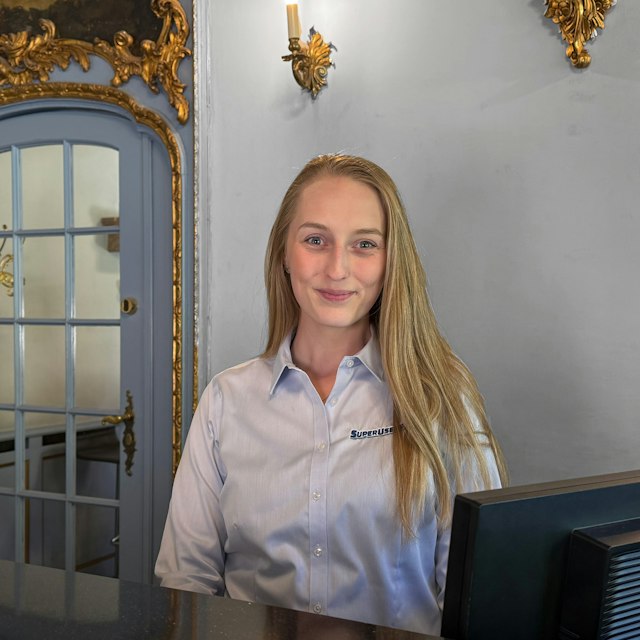
There's a really great atmosphere. All the way from the woman at the reception desk to the people who work in the kitchen.
The instructor tailored the course to my level to a very large extent and was flexible. I had very high expectations, and they were exceeded.
Great precision, good exercises, good pace, a great atmosphere and maximum learning.
The instructor was very pleasant and the exercises were extremely good. I really learned a lot about the topics the course covered.
On top of that, really nice, calm and green surroundings with good catering - especially good food. I would like to take my courses here again next time.
It was a real pleasure to take a course at SuperUsers. The week we spent on the course was worth the money and means that we can now save many consultant hours. It's always nice to have the knowledge in-house.
There is a relaxed atmosphere in the classroom, lovely surroundings in the building itself, and skilled instructors who do a really good job.
I started using all the knowledge I soaked up on the course almost right away, and now we are well underway with developing our future cloud solution.
There is no doubt about who we will turn to if we need other courses.
This is my first time at SuperUsers. It has been a really good experience. The instructor seems very experienced and competent.
The instructor's strong technical background made the course and the in-depth answers to questions a good experience.
A really nice course venue in pleasant surroundings that make for a good setting for focused learning. The instructor came across as well prepared, with extensive knowledge of the relevant topics.
The instructor also showed a strong ability to answer any questions that came up during the course.
I'll be back the next time I need to take a course. It's a lovely place, the food is fantastic, and the instructor is very knowledgeable and happy to share that knowledge!
The technical depth of the course was really good. The instructor's knowledge went much deeper than the curriculum necessarily requires.
You could throw all kinds of curveballs at the instructor, and he had it all under control - he also made the content exciting.
We have now completed Microsoft 365 courses for a total of 5 people here in our department. Everyone agrees that it was an excellent course with a skilled instructor and communicator who could discuss and explain things at the right level, while also being efficient and bringing humor.
It has been a really good experience.
It's calm and quiet at SuperUsers' country venue. Good atmosphere and catering. Some thought has gone into healthy eating when it comes to food and cake, so it doesn't get completely out of hand.
The instructor is knowledgeable about the topics and readily puts them in a broader perspective by relating them to other relevant areas. It's rewarding that this is possible too, and it gives you ideas for further study.
In addition, the instructor was engaged and entertaining to have presenting the content.
As always, it was a great experience, and you learn a lot in a short time from some very skilled instructors.
I work in Azure almost every day, and both courses have been really good at helping me understand Azure better.
The instructor is very presentation-oriented and gets you involved in the teaching and the material. He is good at varying the teaching so it never gets monotonous.
It is clear that the instructor has hands-on experience and not just the theory, with many good examples that related to real-world challenges we might encounter.
Good facilities and good food, without drowning in unhealthy habits.
Very good course, the instructor was the best. I've been here at SuperUsers before, now I'm here again, and hopefully coming back another time.
The instructor seemed very competent and has extensive knowledge of his field. He was good at explaining things in a clear and humorous way. There were also simple exercises that gave a good understanding.
The instructor was really good at going in depth while still making sure everyone was keeping up. A really nice venue and room, and great food.
There was no doubt that the instructor knew exactly what he was talking about, and even the simplest questions were answered gladly, without anyone being made to feel stupid.
A lovely, cozy place where the receptionist, the kitchen and the instructors make you feel at home. A good setting makes for good learning. Really good food that helps round out the whole experience of taking a course at SuperUsers.
Really happy with the venue and the stay over in the horse stable. I'll see if I can come back here for the next course I take. A really beautiful building, and great to experience a place like this. A fantastic place to hold a course.


